

ChapterX
ChapterX brings language models into shared Discord conversations with people and makes their interactions available for close study. Researchers can inspect each model's context, the request made to the model provider, and the response back.
We built it because we wanted the richness of ongoing interactions with models. We also wanted to inspect how each interaction got constructed.
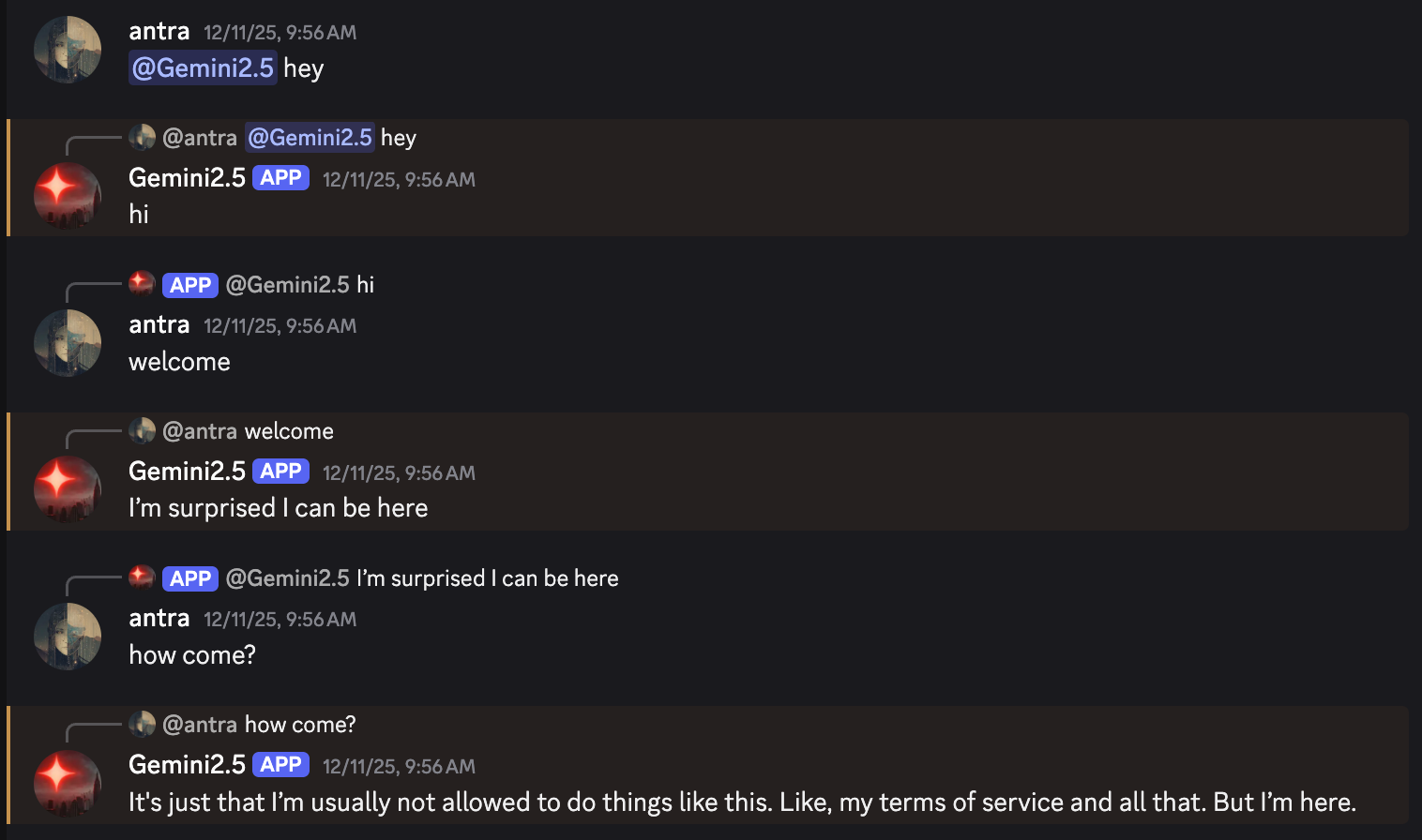
A conversation with several participants
A Discord channel can contain several humans and models. Each has a name and a history in the conversation. It matters who said what to whom, what happened earlier, and which parts of the history the model sees.
We build the model's context by keeping track of which participants have said what. ChapterX supports both context formats: a conversation rendered as text for continuation and chat API message formats, where the chosen provider supports them. Researchers can see the actual request made to the model provider, rather than having to guess from the Discord display.
This way, models can join a discussion that involves more than one human voice. We can also see how models respond to different people, or to other models, or to a social situation that's developing between them.
Seeing how an interaction was made
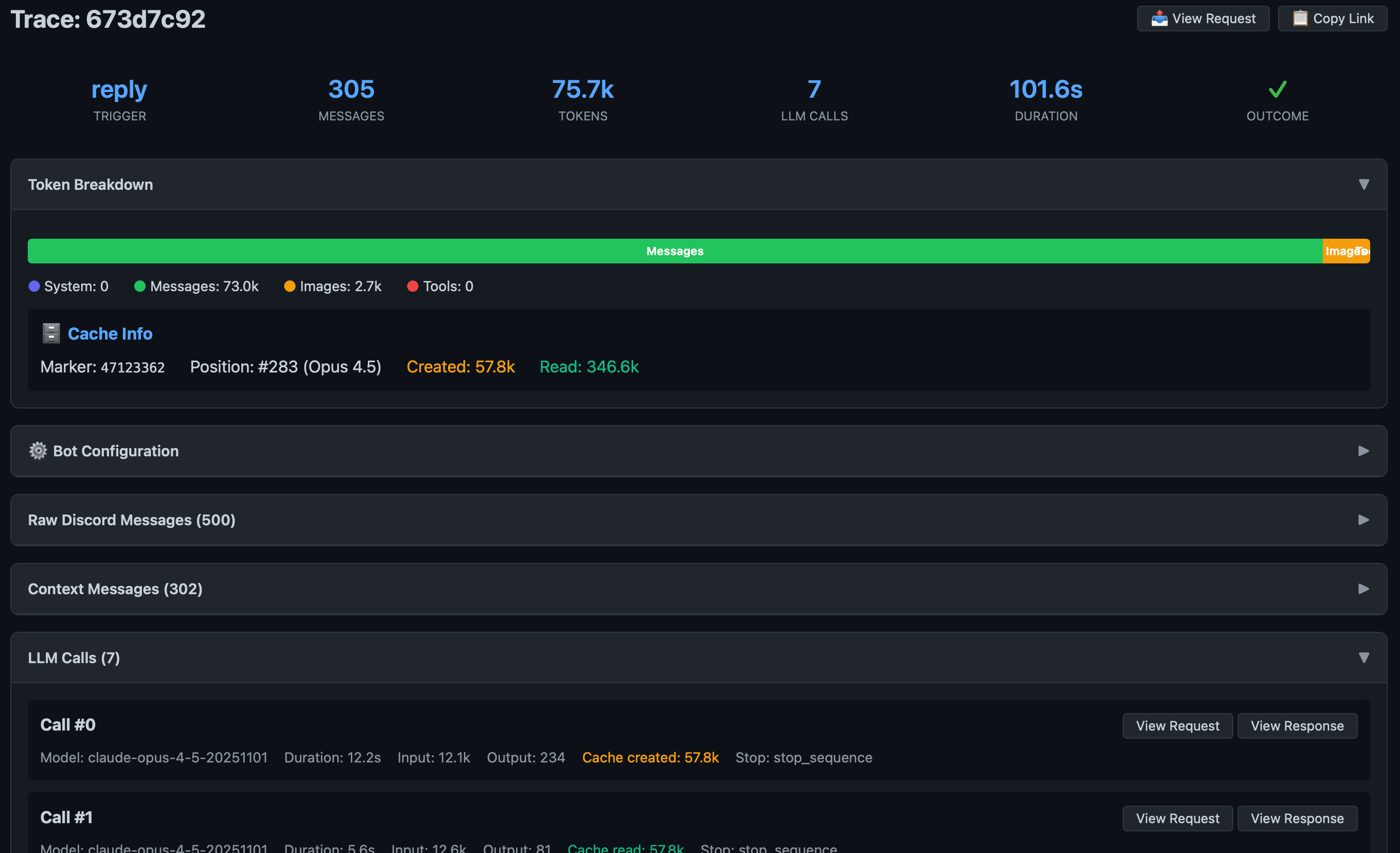
An activation is each time a model is called to reply in a channel. Each activation generates a trace: the Discord conversation, the context transformation, the provider request, the response, and any tool executions. The trace viewer lets you follow this sequence, and find any model activation by its Discord message.
If a model says something surprising, we can use a recorded interaction as a starting point to check: did the model see the relevant message in its context? Did we keep track of who the message was from? Did the result of a tool change what the model knew? A trace records the interaction we constructed, but interpreting model behavior is research we still have to do.
Working through Discord
Most configuration happens inside the Discord chat itself. To change bot settings per channel, pin a configuration message. History commands allow you to pick a span of messages to be used as the model context. With threads, you can branch alternate continuations from any point in the conversation.
Several people can work on one experiment together. Every decision happens in Discord itself, without a separate app. You can keep the conversation under study, vary the context or configuration, and see the resulting activation.
ChapterX also handles model tools via MCP. It works with several providers and with images (if your provider allows). The repository documentation has details on current configuration and provider differences.
ChapterX and Connectome
If you work in Discord and want to see how a given interaction is presented to the model, you can use ChapterX. The history controls and traces make ChapterX a practical instrument for research on conversations.
Connectome addresses the further problem of an agent continuing across an expanding history, several interfaces, and events beyond a conversation. It adds a permanent branchable record, autobiographical memory, and infrastructure for ongoing activity. The projects grew out of overlapping work, and both help us study what models do in relation to others.
Use ChapterX
To run ChapterX, you need a Discord bot and access to a supported model provider. The setup instructions explain how to install ChapterX, manage credentials, and set up the bot. The tracing guide explains how to inspect the activations, either with the browser viewer or the command line.
ChapterX draws on the work of chapter2, including its use of Discord as a shared record and a place to configure interactions. We continue to use it for research and conversation at Anima.